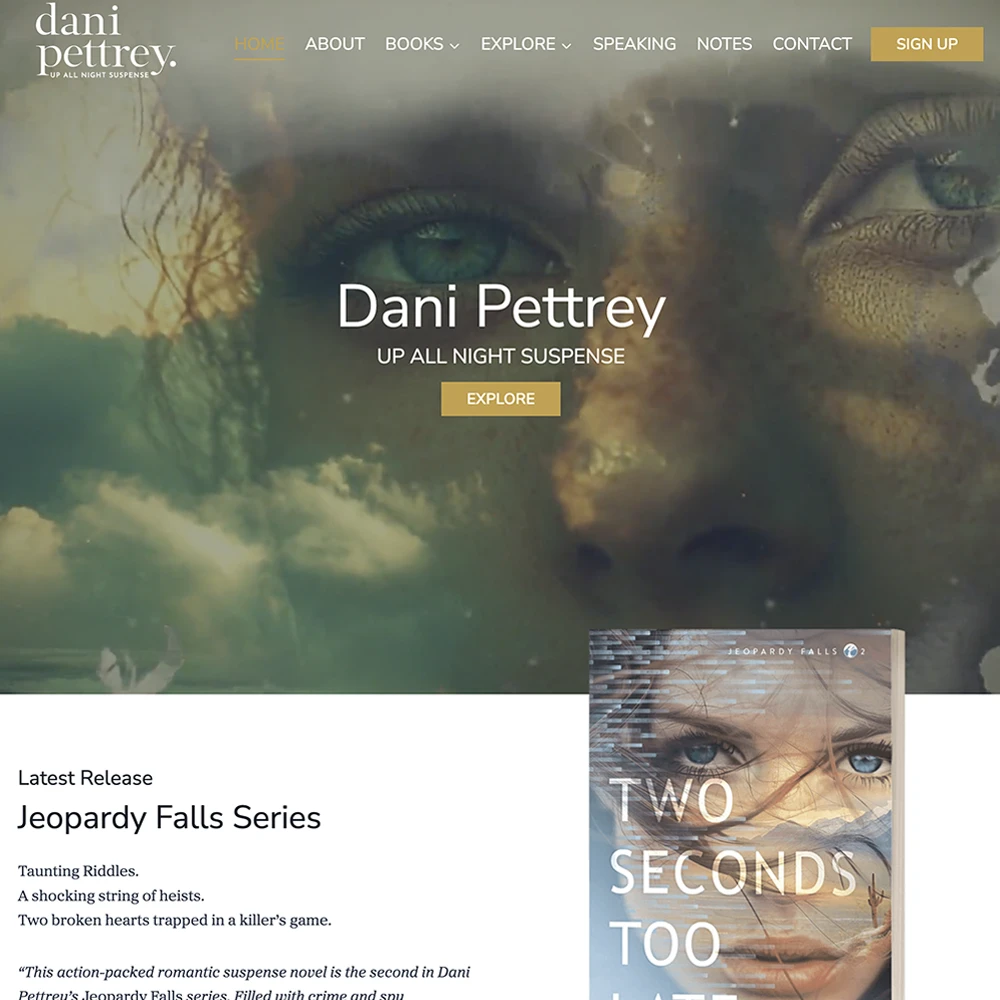
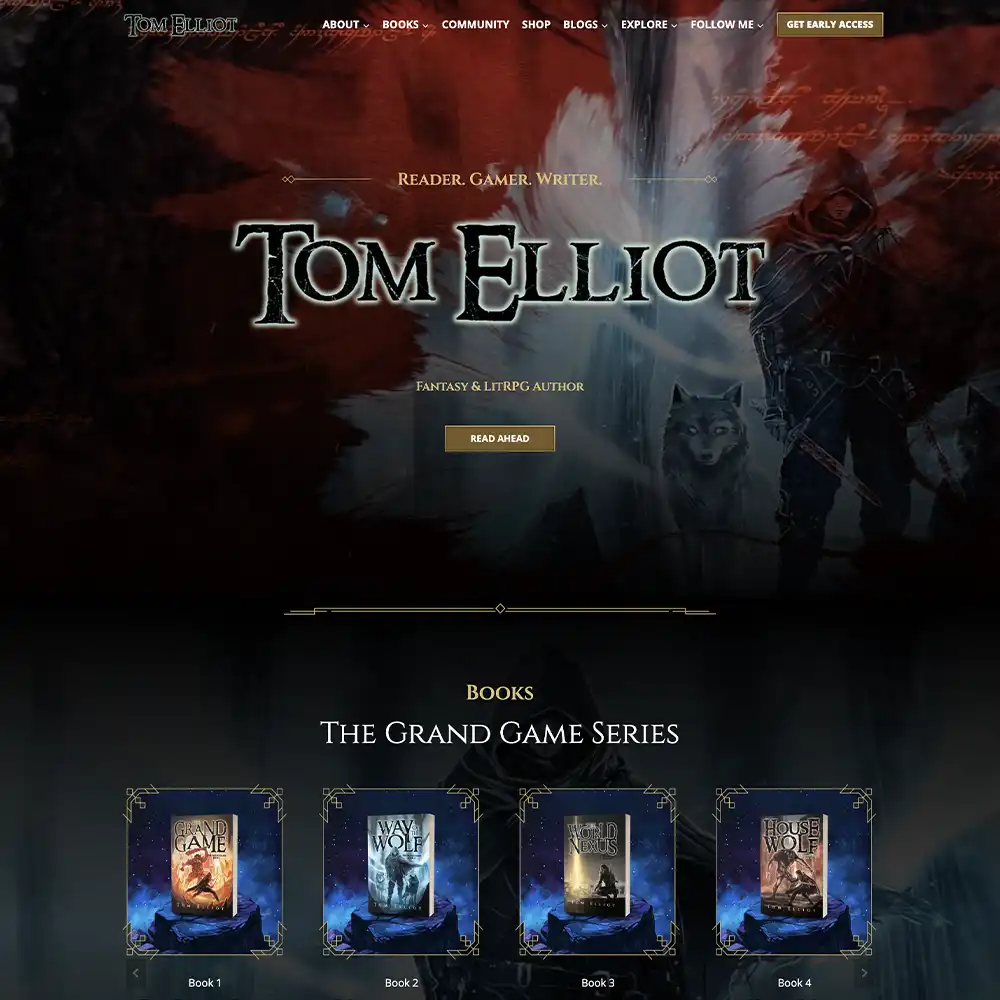
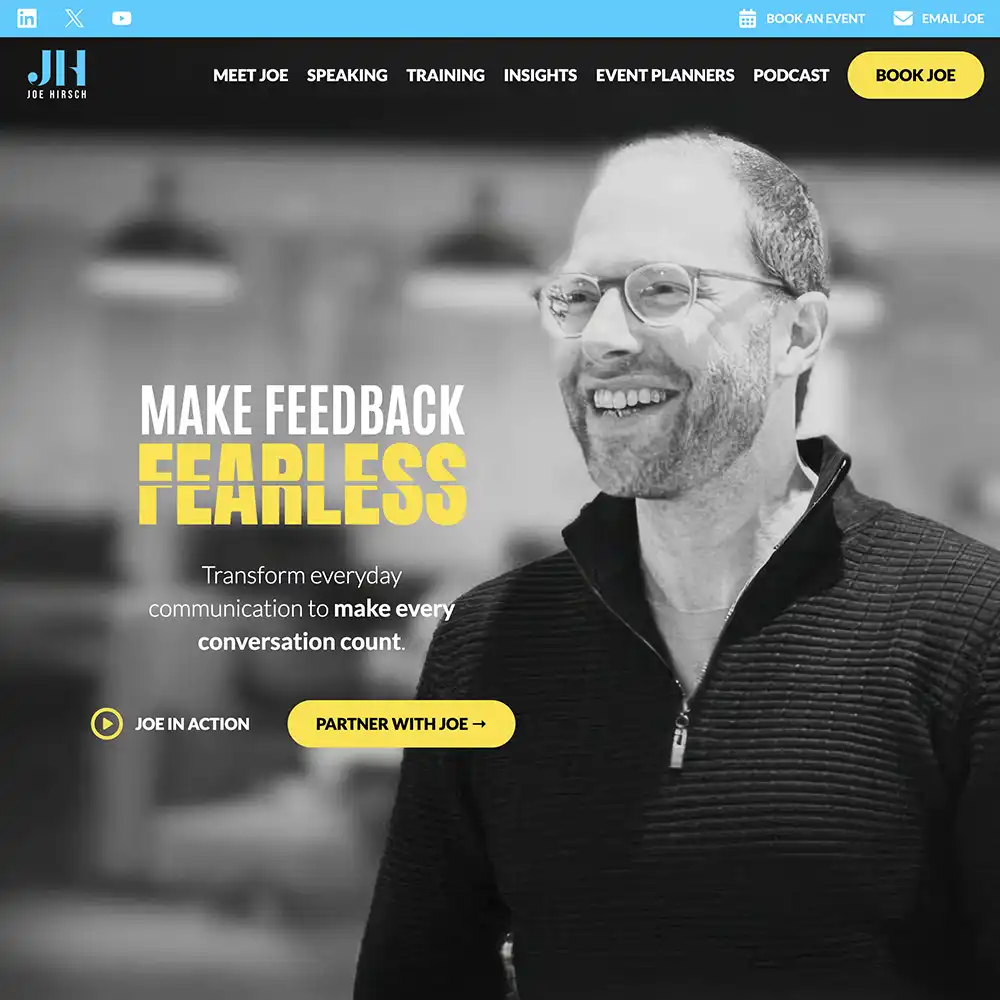
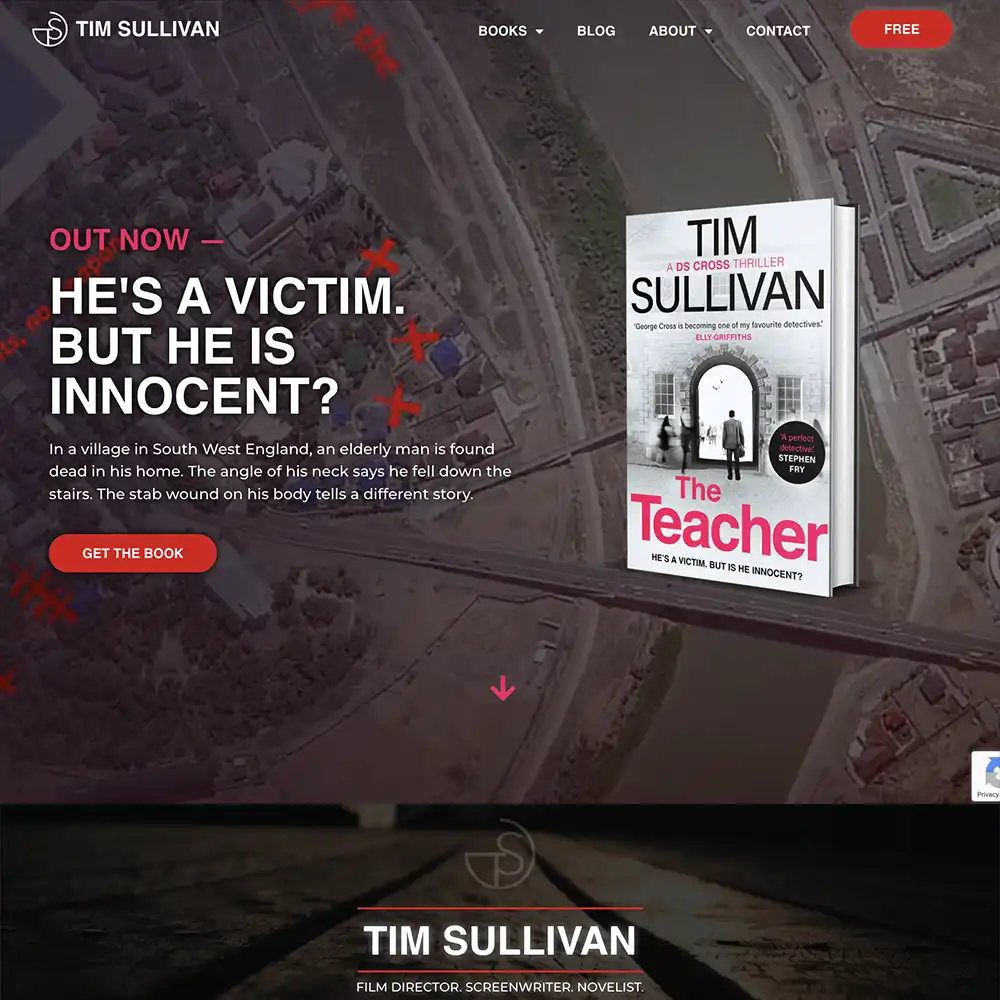
Sleek, professional, and grabs readers’ attention.
That’s what you want from your author website.
Except achieving that doesn’t happen easily, especially when your skill set is more geared towards whipping up a story, not building a website.
Fortunately for authors, building a website is easier than it’s ever been with user-friendly interfaces, templates, and feature-rich platforms.
But having this many options can make it hard to pick the right one for you.
We’re going to help you out. As website designers ourselves, we know a thing or two (or a hundred) about the best website builders for authors.
This guide will keep things simple while explaining the basics, so you can make a well-informed decision that meets your needs as an author.
Written by Author Website Design Specialists
But why trust us?
At Rocket Expansion, we’ve built 100+ high-performing author websites that do more than just look good—they help authors sell more books, grow their email lists, and build thriving fanbases. We work with fiction and nonfiction authors across genres, optimising their sites for discoverability, conversions, and long-term success.
If you’re looking for a custom, done-for-you website, let’s build one together.
What Makes a Good Author Website
With how the world of technology is progressing, anyone can build a cheap website. But that’s exactly what it’ll look like.
A cheap website.
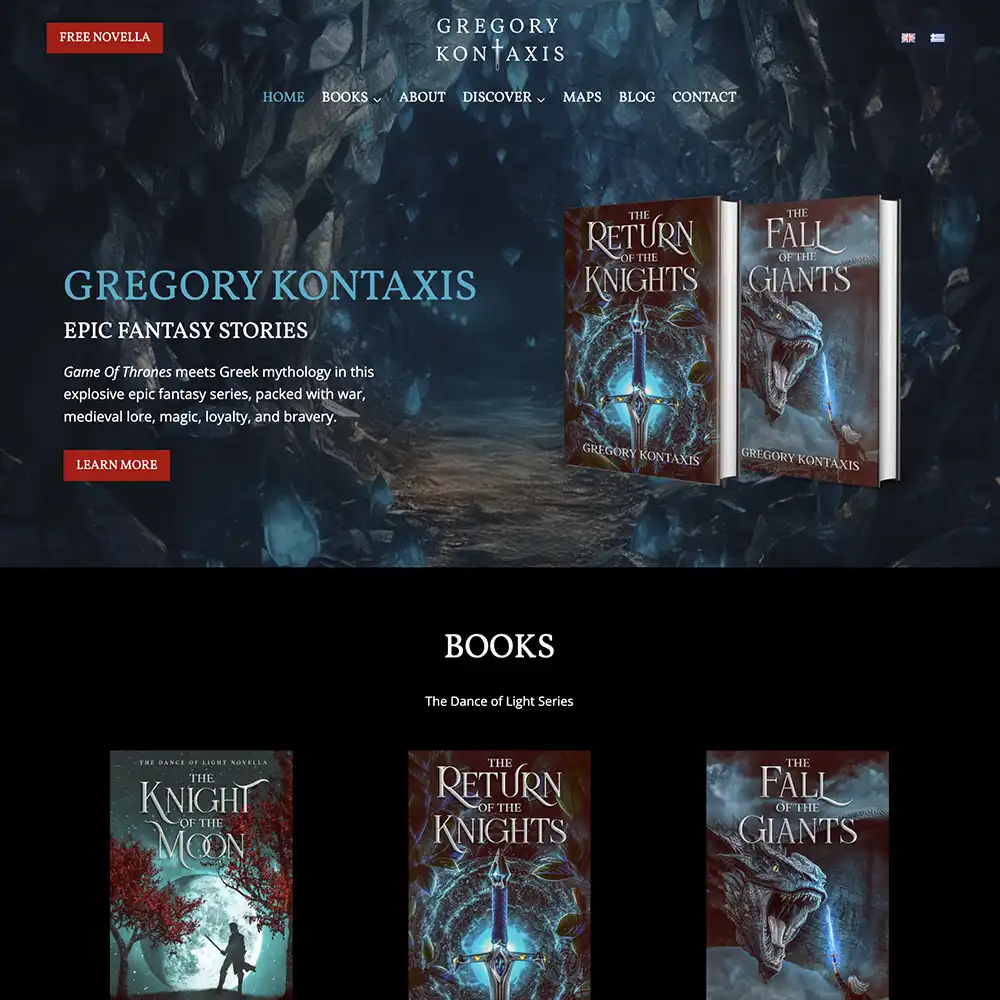
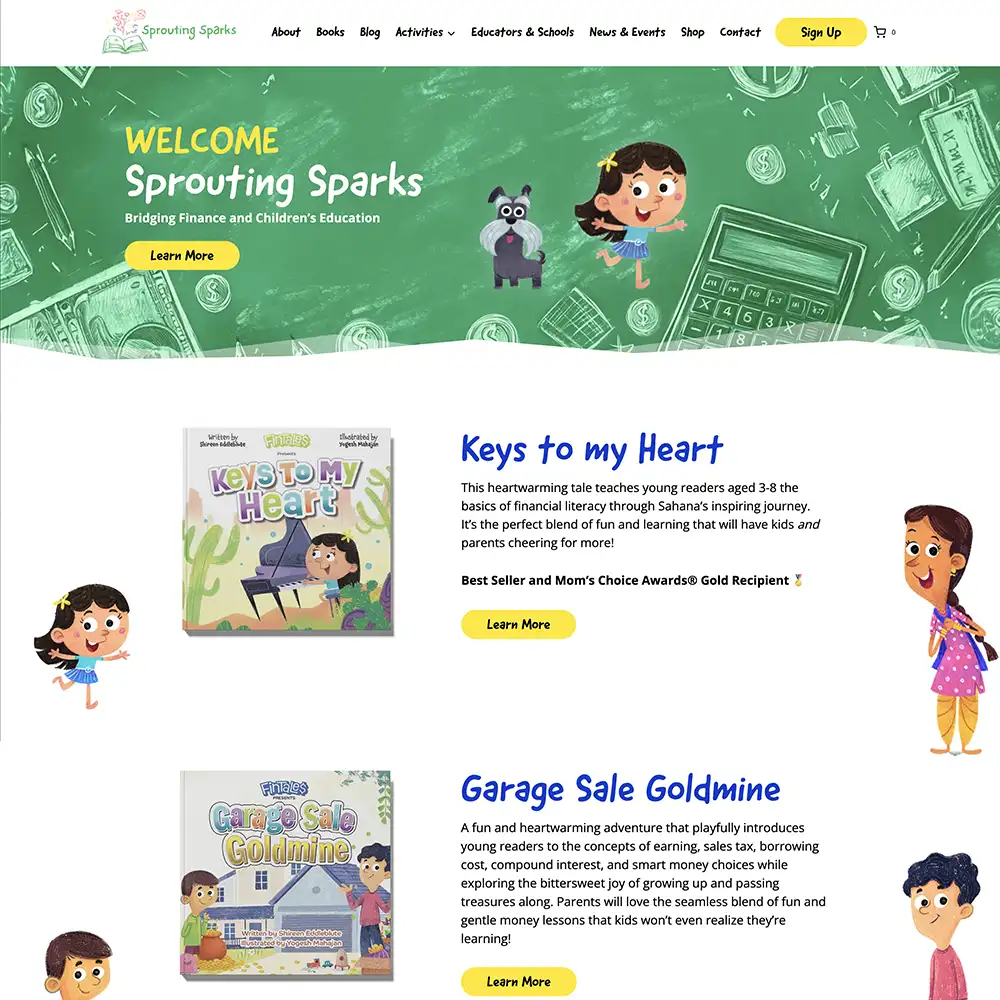
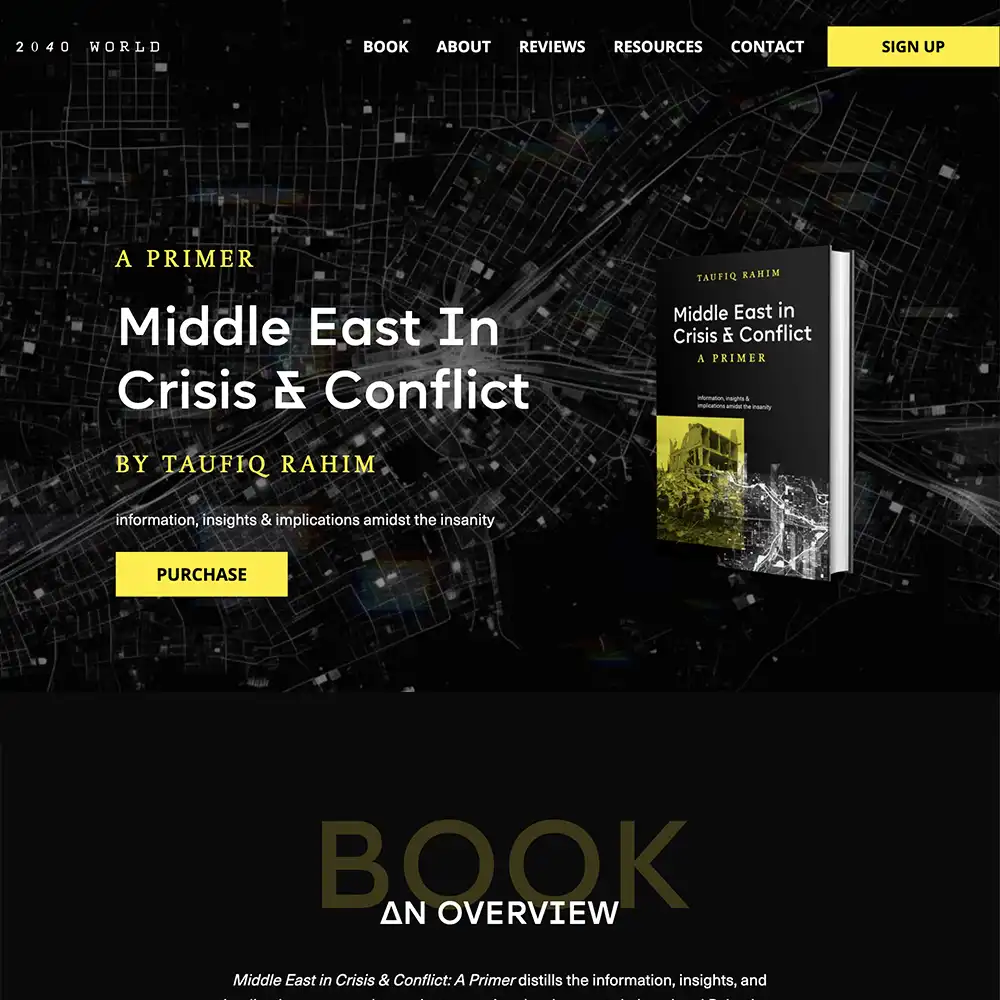
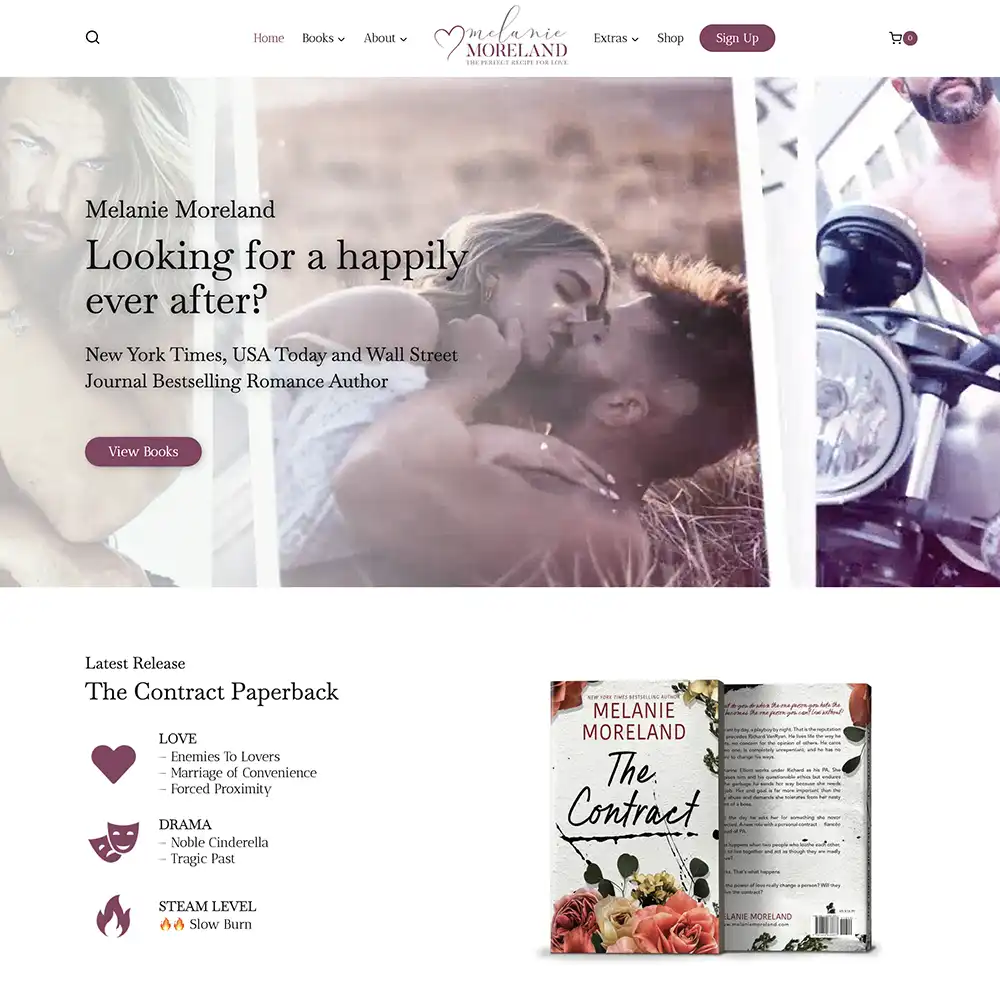
If you want to make a good impression on readers, journalists, publishers, and agents, you have to think long and hard about how you want to be perceived and what you want to show them.
Then you look at how you should portray this in your digital presence.
We believe these 3 need to work in harmony to create a good author website:
- Showcase your books and make it easy to purchase.
- Establish your brand and give your audience a promise on what they can expect from you.
- Foster relationships with readers by showing them high-quality content and funneling them into your newsletter and universe.
Besides these hallmarks, each page on your website, from the contact page to the about page, should be easy to browse and engage with.
The design of your author website can be the difference between having engaged readers and readers who click off the site immediately. Check out this blog to avoid the latter: How Should an Author Website Look?
What to Look for in a Website Builder (for Authors)
Incorporating the elements needed for a good website already seems like a tall order, and having a reliable website builder can make life easier.
So here’s what authors should look for in a website builder:
User friendliness
How user-friendly a builder is will depend on the author and their needs.
Some authors thrive on the challenge and want to learn how to code, while others want to forgo the techy stuff and get their website up fast.
The latter may lead to a less customized outcome, but the former may take some time to learn and build.
We’ll be taking both of these into consideration when listing the best website builder for an author, as well as the general user friendliness of the builder.
Customization
Every author has different needs for their digital hub, and those needs change over time, too.
That’s why customization is important.
When building your website, the builder needs to have the flexibility to allow you to adapt your site as you grow in your career.
Customization also helps you build a website that doesn’t look like a copy-paste of another author’s site. Templates are great, but not stamping your brand will make your site forgettable.
Having an author website that’s professional and sets you apart is the goal.
Control and portability
You want ownership of your website; after all, it is your website.
Some website builders have limitations on domain control (the name of your website) and export functionality.
Whatever builder you choose needs to make you comfortable in these departments because you don’t want to feel like you’re stuck with whatever you make without a way of changing it to fit your needs.
We say this because, as your career progresses, you may want to get a more robust website that can handle a shop and more content, so you may need to transfer your website to another platform to make these adjustments.
Blogging
Not all builders can manage content-heavy sites.
Authors who want to blog regularly to their audience will have to look at each builder and their ability to handle large blogs, categorize blogs, and archive them.
Look out for these features as they could make your life seamless for blogging as a writer.
SEO & performance
What’s the point in having a website if no one can find it or easily browse it?
Website optimization will go a long way to discoverability and engagement.
Ensure there are SEO tools that help with sitemapping, controlling URLs, adding metadata, and mobile optimization. (link)
Cost
While there are some free options, if you want a professional-looking website with full functionality, you’ll have to loosen the purse strings a bit.
So, how much does it cost to set up an author website?
Anywhere between $500 – $15000 can be expected, but if you’re hiring a website designer, we’d recommend looking at a price range of $2000 – $10 000.
Some builders have tiers that play into the costs, where they include domain and hosting as part of the price. Other cost factors include individual hosting and domain, maintenance, and design.
Check out our blog for a full breakdown: How Much Does an Author Website Cost?
Security & Maintenance
A slow or glitchy site can cost you readers and sales. Make sure the site builder you pick has SSL certificates.
Also, it’s worth checking the reviews of author website builders to understand what customers dealt with for support and maintenance.
How to Choose the Right One for You
We’ve selected only the website builders we’d personally recommend, but there are plenty more out there. It can be overwhelming to read through information and make a decision without your head spinning.
So when in doubt, ask yourself the following questions to get to the root of which author website builder is best for you:
- Am I establishing my brand, or am I looking to scale my brand?
- What technical ability do I have for website development?
- Am I willing to spend time learning how to use the platform?
- What features are a must-have for me?
- What features are nice-to-have? Could it possibly be of use to me at a later stage?
- Is the platform scalable and attuned to my needs as an author?
- Do I have the budget to get a professional to build it for me using my platform of choice?
- What have others said about the customer support and community feedback?
What is The Best Website Builder for Writers?
We picked out 5 author website builders with varying strong points so you can pick the one that best suits your needs.
Although we absolutely urge you to do more research before picking a specific builder, we made sure to only list those that are reputable in the industry with sufficient customer support.
Squarespace: The Aesthetic Choice
Squarespace is a great website builder, best known for its beautiful templates and minimal effort.
With photogenic layouts and design principles baked into the functionality, whatever you build should turn out aesthetically pleasing.
But once you see a few Squarespace websites, you notice similarities in all of them. They can be a bit generic in style. Anyone with a little know-how will be able to tell that you’ve built your site with Squarespace.
It has a simple enough user interface and great capabilities for blogging, e-commerce, and a newsletter platform called Squarespace Campaigns, where you can run your newsletter from within the website walls, integrating your marketing efforts.
The E-commerce tools allow you to build a storefront for digital and physical books, making sales an option for those authors who want to avoid third-party platforms like Amazon in favor of a direct connection with readers.
Squarespace’s tools guide the building process, so you can’t color too far outside the lines without it reigning you back in, especially with the addition of the AI Blueprint Builder, which you can use to build your own template.
You can use the drag-and-drop editor to personalize your author website, but it offers very little creative freedom, making it hard for you to stand out in a sea of Squarespace websites.
Squarespace also has integration with social media via the Unfold mobile app, which provides fonts, templates, filters, etc. to promote your work.
There’s no free plan like with Wix and WordPress, but you do get a 14-day free trial. Unfortunately, the plans are quite expensive the more you need. Ranging from $16/month to $99/month.
Pros
- Intuitive prebuilt sections and layouts with a drag-and-drop editor.
- Blogging, e-commerce, and mailing list capabilities.
- Helpful customer support.
- Reliable hosting and website security included.
- Accessible analytics, like bounce rate, to help you optimize your website.
Cons
- Designs and layouts are not too dissimilar, making it easy to spot and harder to stand out.
- Fewer layout customization options compared to other builders, leading to limited creative freedom.
- Limited apps and tools compared to other platforms.
- Expensive tiers; the more functionality you want, the more you’ll have to pay.
- The interface is more complex than Wix and not very intuitive.
- The store has limited functionality if you want to expand the list of books and merchandise sold.
| Who is this for? | Who isn’t this for? |
|---|---|
| Authors who want an appealing and modern website, without too much hassle to create. | Authors who want to stand out, as Squarespace templates can seem generic. |
| Speakers who need intuitive booking functions. | Authors who want to optimize site speed, as other builders provide more capabilities. |
| Authors who also want to sell services and books directly. | Authors who have a design background and want more creative freedom. |
| Non-technical authors who want plenty of handrails when building a website. | Authors who need more functionality and third-party apps. |
Wix: Beginner’s Choice
This is the simplest website builder to use. Wix works best for the tech-averse authors who want to get something up and going with low effort and good enough design.
With plenty of templates and apps to choose from, you can create an author website that does the job. But check the quality of templates, as it can vary. However, you can use the AI chatbot to help with building if you want something more custom.
Wix has a free plan, making it cost-effective for the budget-conscious author. But be wary, as any free website builder, even Wix, comes with downsides.
Building a free website means your site will be subject to ads, which will make your website look spammy and unprofessional.
You can get a free domain name through Wix for one year with their other website plans, but if you ever want to transfer your website as you grow as an author, it’ll make life difficult. And note that you can’t use a bought domain on a free Wix website.
Back to Wix’s features!
The drag-and-drop editor is helpful for beginners to customize their website to their liking, but if you don’t have basic design principles knowledge, the unstructured page editor can make things a bit complicated for you.
Even though it’s beginner-friendly, some find it overwhelming with the amount of tools available!
Just like Squarespace, you have blog abilities that allow you to categorize, archive, and hide details with ease. And with higher plans, you can access more storage space, marketing tools, and e-commerce capabilities, ranging from $17/month to $159/month.
You do get mobile optimization tools at the free plan level, but we’d say they’re more semi-responsive than fully responsive. What we mean is how the builder resizes content as the site looks on different screens.
With Wix, it automatically resizes content for mobile, but it’s not perfect. Luckily, it has a mobile editor so you can adjust the sizing for mobile, though this does require a bit more effort on your part.
Pros
- Access to 2000+ templates.
- Access to over 800 apps on the Wix Market, allowing for email sign-up, review display, etc.
- Easy-to-use builder, no coding needed.
- E-commerce tools with higher plans.
- Pre-made contact forms are available for you to use to engage with readers.
- 24/7 customer support.
- AI assistance to manage and build websites.
Cons
- Template quality can vary, making it hard to pick professional options that stand out from other websites.
- App variation can lack the functions that a growing author would need.
- Limited Storage, and to increase it, you need a higher plan.
- Basic SEO tools, but no room for advancement for authors who want to improve their discoverability.
- Pricey plans for functionality improvements.
- Not being able to work on the code makes customization difficult.
| Who is this for? | Who isn’t this for? |
|---|---|
| Authors who want a quickly built, design-forward, polished website without needing to know coding. | Authors who want to stand out, as Wix templates can vary in quality. |
| Authors who want more creative freedom than Squarespace can offer. | Authors who want robust design, functionality, and optimization for site speed. |
| Authors who want e-commerce functions. | Authors who want really good e-commerce functionality with more control. |
| Non-technical authors who want their hand held, with fewer handrails for design. | Authors who want to be able to update the design to match the new book launch (Wix locks in your design once you hit publish). |
WordPress: Powerhouse Choice
WordPress is the most popular website builder on the market. It offers the most control, since it’s a software that is installed on a website hosting plan you’ve picked – you’re not tied down to one company!
But first, we must clear something up. There’s a site-hosted version (wordpress.com) and a self-hosted version (wordpress.org). Both are free.
The .com version is akin to Wix with tiered plans and pricing, with a free version that contains ads and domain and hosting control.
WordPress.com is great for beginners who want packaged plans, but it lacks the same powerful capabilities as WordPress.org.
We’re going to talk about wordpress.org here, given how reputable it is – we use it ourselves!
WordPress is flexible and allows for a lot of control, with tons of plugins and themes to choose from – it’s an open-source platform! This means it has a large community that contributes plugins that will work on the site.
Authors can customize their content and use SEO tools to their heart’s content to boost their content and create beautiful layouts.
Blogging couldn’t be easier and more robust. Beginners can make a streamlined, professional site that grows as they do, or something complex off the get-go if they’re already deep into their careers.
Admittedly, this can be intimidating for beginners. It’s a steep learning curve for authors who aren’t tech-savvy or coders. But that’s what YouTube Tutorials and professional website designers are for!
Overall, the platform is user-friendly, as most themes available share similar functionality.
But this much customization can come with downsides, as the theme you pick can dictate your experience with the platform. So keep this in mind!
Pros
- Access to over 70,000 plugins and over 13,000 themes to customize your website.
- Powerful blogging and SEO capabilities.
- Email marketing functionality.
- E-commerce functionality with WooCommerce.
- More control over your design, features, and hosting.
- Scalable – you can update it to suit your growth as an author.
- You can enable updates for your plugins, making maintenance easier.
Cons
- Steep learning curve and time taken to get a website up and running.
- More time is spent on finding hosting and setting up your domain.
- Using too many plugins for various functionalities can bloat the site and cause issues.
- Having access to so many customization options can cause a lot to go wrong if you’re not careful.
- You’re in charge of maintenance with updates, security, and backups.
| Who is this for? | Who isn’t this for? |
|---|---|
| Authors who want flexibility and control over their website. | Authors who don’t have time to learn how it works or don’t have the budget to hire a professional website designer. |
| Authors who want lots of content and creative freedom in order to stand out and appeal to readers. | Authors who want a website up and running without much hassle. |
| Authors who want e-commerce functions to sell books directly from their site. | Authors who want a more robust e-commerce platform, like Shopify. |
| Authors who don’t mind updating, maintaining, and growing their platform with their career. | Authors who want a simpler build with less maintenance. |
Webflow: Designer’s Choice
If you’re familiar with Photoshop and its interface, this website builder may be up your alley.
Though we must warn, it’s a bit more complex than the others on this list.
Webflow is a visual website builder that allows you to create something custom, without knowing how to code (however, knowledge of basic CSS will help you navigate Webflow a lot more smoothly).
With a drag-and-drop editor (that isn’t completely freeform) as well as the ability to add JavaScript, edit CSS, and adjust the HTML, Webflow appeases the needs of both beginners and advanced professionals who want even more control over the site.
But there is a learning curve for the non-techy authors.
The layout blocks can feel restrictive, but they act as a handrail to uphold professional web design that’s responsive on mobile devices.
SEO tools are maybe not as extensive as the ones available on WordPress, but they’re sufficient for authors who want their blogs to rank.
But what makes Webflow stand out is the community, as the developers of the software often listen to their customers and add requested features.
Webflow allows you to create unlimited projects on the free Starter plan, but each project is limited to 2 pages. These websites are published only on a webflow.io subdomain, restricting your domain name customization.
And for authors who want more pages on their website, domain customization, advanced marketing, CMS features, and expect more traffic, you can upgrade to the paid Site or Workspace plans.
(Also, keep in mind that admin seats are limited to one by default. If you’re hiring a web designer and have other members on your book marketing team who need admin access, you’d need to be on the Workspace plan. Note that each additional seat costs extra per month.)
Pricing ranges from $14/month to $39/month. These plans are a bit tricky to understand and are on the pricier side, but their brand alignment capabilities and design freedom make up for it.
Pros
- Over 300 advanced plugins, widgets, and integrations for precise customization of your author website.
- Access to 7000+ stunning templates and 2000+ themes.
- Low-code builder with a focus on design and speedy production.
- Almost complete creative freedom to build a brand-forward author website with flair.
- Drag-and-drop interface with CSS/HTML capabilities to integrate custom code if needed.
- E-commerce capabilities like setting up online stores, managing books, and processing payments.
- Built-in security and fast loading times for a smooth user experience.
Cons
- The Webflow Editor can be overwhelming for beginners, meaning a steep learning curve.
- SEO can feel lacking for authors who want to fully optimize their website’s ranking potential.
- Pricey plans for more features (which aren’t quite clear to beginners and some professionals).
| Who is this for? | Who isn’t this for? |
|---|---|
| Authors who want to quickly build a fully custom website without needing to know how to code. | Authors who don’t need full customization options. |
| Authors who want a powerful marketing site that ships new pages quickly and optimizes for conversions. | Authors who just want a simple website. |
| Authors who want e-commerce functions to sell books directly from their site. | Authors who want a more robust e-commerce platform, like Shopify. |
| Authors who want Photoshop-esque design precision. | Authors who want a simpler Canva-like build. |
Shopify: The Direct Seller’s Choice
Last on our list is an option for those authors looking to prioritize directly selling their books, merch, and other works or services to readers.
Shopify is the best e-commerce website builder out there, with capabilities that allow authors to easily add products and track orders, and manage sales to other platforms like Facebook, Instagram, and Amazon within the Shopify dashboard.
It’s built for a seamless customer experience as well as a comprehensive view for authors. For example, with Shopify, you’ll have unlimited storage for your books and services (hello bundles and signed copies!), a customizable checkout, abandoned cart recovery feature, and discount codes.
All of these features are sales-specific and therefore lacking in the content department. Bloggers will have a harder time displaying their content and categorization.
Also of note is the lack of a drag-and-drop editor, which makes it a bit restrictive (and creatively limiting) as you have to add “sections” instead.
It does have an AI tool to help with product set-up, but this doesn’t provide much in terms of page design. The AI leaves much to be desired in comparison to Wix or Squarespace’s AI.
Although Shopify’s design options still look sleek and professional, it lacks the vibrancy and customization of other website builders and, therefore, may require adding extensive code.
That’s why many authors opt to have a main website for their pomp and flair, and a Shopify website strictly for direct sales.
Shopify’s pricing can also cause a pause for authors, ranging from $29/month to $299/month. The good news is that, at any price point, you can get the majority of Shopify’s advanced features for a smooth experience.
(There is a final tier for complex businesses at $2,300/month on a 1-3 year term. But most authors, even the ones who need a heavy-duty e-commerce site, don’t opt for this.)
Pros
- Over 200 paid and free templates to choose from.
- Access to 8000+ apps that give you flexibility and added functionality (like Lulu Direct for selling e-books and shipping physical books).
- Ability to sell on multiple channels
- Over 100 payment options.
- Capabilities like book inventory tracking, professional checkouts, product management, shipping features, and more that customize the buyer’s journey.
- A scalable platform that grows as you grow as an author.
Cons
- Limited customization for website design.
- It can be excessive in functionality for new authors
- Certain apps and templates require you to pay for them to use.
- Blogging and SEO are not refined.
- Only a 3-day free trial (you can get 3 months for $1/month).
| Who is this for? | Who isn’t this for? |
|---|---|
| Authors who want a robust e-commerce platform with all the bells and whistles. | Beginner authors who don’t need this much e-commerce customization and prefer a simple solution for direct sales. |
| Authors who are more promotion-focused, sales-driven, and already have a massive following. | Authors who still need to build out their brand and presence, and therefore need content features like SEO. |
| Authors who don’t mind low design options and prioritize sales-driven book promotional features. | Authors who want more creative freedom and a captivating website design. |
Conclusion
We’ve covered the best website builders for authors (in our expert opinion), and we hope we’ve made your decision a little easier to make.
When it comes to building a website, you don’t just want style; you want substance.
Your website needs to do more than hold a reader’s attention; it needs to tempt them to buy your books and sign up for your newsletter.
And once you pick your website builder, you can move on to building something that achieves the above, but it’s easier said than done.
Especially when you have a book to write, edit, and market.
That’s why many authors opt to hire a professional website designer to do the heavy lifting for them.
And there’s no better website designer than one that specializes in author digital presences.
We’ve been building websites for bestselling authors and debut authors for many years now, so we know what it takes to build a presence that’s meant to WOW readers as well as convert.
You write the books, we build the website – a dream partnership.
If you want to get a website with a professional touch, inquire here. We’d love to get in touch and see how we can help you build your author website.