If you’re reading this, we know that you’re in that phase. Yes, that phase.
You’re getting serious about your writing career, and you need that final stamp to show everyone – readers and publishers alike – that you mean business.
You’ve heard other authors and industry professionals weigh in on this and thought maybe this is the right step for you. Except, after a bit of research, designing an author website seems like more effort than it’s worth.
The truth is, an author website can be worth double the effort you put in – if you do it right.
So, to stop authors from turning away from this marketing tactic that could help boost your career, we’re providing you with the information you need to design your author website and put your online presence on the map.
Let’s get into it.
Should Authors Have Their Own Websites?
Halfway, or maybe 20% into designing your author website, you’re going to wonder why you even started. That’s why we’re addressing this first.
(Bookmark this section, because you’ll need the motivation to keep going when you’re scratching your head and staring at a list of plugins.)
Many authors think having an Amazon page, or a page on your publisher’s site (if you have a publisher that is), should be enough. Don’t get us wrong, having those can be great – especially when Amazon is the biggest platform for book sales.
But the problem with just having an Amazon page is that you lack control over it as the author. You’re at the mercy of it instead of it being in your control.
Besides, having a website doesn’t mean you don’t have those other pages on book retailer sites if that’s available to you.
So, ultimately, the answer is yes, authors should have their own websites because:
- It allows you to track where traffic comes from and use that data to help you market your book effectively
- You can use it to capture readers for your newsletter (which is also a point of control for you)
- It’s the best way to display your books and announcements since you decide the layout and design.
- You gain an online legacy that readers, influencers, and journalists can draw from to understand and write about your brand and books.
- You’ll get exposure when collaborators and influencers look you up to learn more, get impressed, and reach out for a potential feature in their content (or show!).
- You can develop a long-standing, direct relationship with your readers that can’t be taken away easily, like it would be by a banned or cancelled social media account.
- A well-built one will take the top spot on Google and help your online presence.
How Do I Make My Own Author Website?
You can’t just start designing without some of the admin done! So, let’s begin with the behind-the-scenes activities that lead to a well-designed author website.
While the process will vary for different authors, there are some fundamental steps you need to take when making your own website. These are:
- Pick a domain name
- Decide what type of website you need
- Choose a platform to build your author website
- Consider getting help from a professional
1. Pick a domain name
Let’s answer the burning question for beginners: What is a Domain name?
This is the name of your website, commonly referred to as the website address or the URL. Your domain should help ensure you show up on Google when someone searches for you or your books.
For those wondering what you should call your author website, we have good news for you. This is simpler than naming your new book series.
We recommend using your author name as the domain, but we do know of authors who have used their series name, their business name, their blog’s name, or even the debut book’s name.
Some even create a new website for each book. (This requires a lot of resources and may take up more of your time in the long run. It may be beneficial if your book websites supplement your speaker career or business.)
You may think that using your most popular series as a domain name will make it easier for readers to find you, and it might, but this may come up as an issue for your career.
For example, if another series takes off even better than your initial bestseller, or if you want to try different niches or genres that still fit your brand.
Top Tip #1: If you’re a newer author without an established pen name or presence, do some research and see what author names haven’t been taken by another famous person. This way, you know you’ve chosen a name for your domain that will only have your site come up when a reader Googles you.
So, what is the best domain name for an author? It will need to meet these criteria:
- Short and catchy: Stick to a limit of 20 characters and 3 words or fewer so that it’s clear.
- Readable: Ensure your domain name is easy to read in lowercase.
- Add author (if necessary): You may find your domain idea has been taken. In that case, add author or writer, or your middle initial. For example, janedoeauthor.com, writerjanedoe.com, janebdoe.com.
- Don’t use hyphens: Although hyphens in theory make your name more readable, they also may make it look spammy.
- Try for .com: It’s the most common and seen as reliable, but a .net or .org won’t tank your chances of ranking on Google if your site is made well.
These 2 examples are from author websites we designed:
- katejonesauthor.com: See how she added author at the end of the domain name. It’s short and easy to read.
- tomlitrpg.com: This is a unique one and takes short and sweet seriously. This domain name includes Tom Elliot’s first name followed by his genre. This works since the genre name isn’t many words. But this is a great example of how to get creative while keeping it on topic and including your brand.
Once you’ve got your domain name and have checked if it’s available, it’s time to register it.
Buying a domain name won’t break the bank, and they can be purchased from reliable sites like Namecheap and GoDaddy, which offer no hidden costs and are easy to use.
Just remember that you’re registering your domain for only a few years. Set an auto-renewal or make a reminder for yourself to purchase it again so you don’t lose the name when it expires.
Top Tip #2: For those who have a website and want a new domain name that fits their brand, you need to do a 301 redirect to point your old domain to the new one. This helps you avoid having broken links and getting pages removed from Google. You may need to seek a professional’s help since this process can be confusing.
A note on privacy
When registering your domain, you’re required to share your phone number and address.
Get privacy protection to ensure these personal details are hidden. This is because WhoIs, a lookup service, records this data, and it can be viewed by the public.
Domain privacy will mask your information in that database.
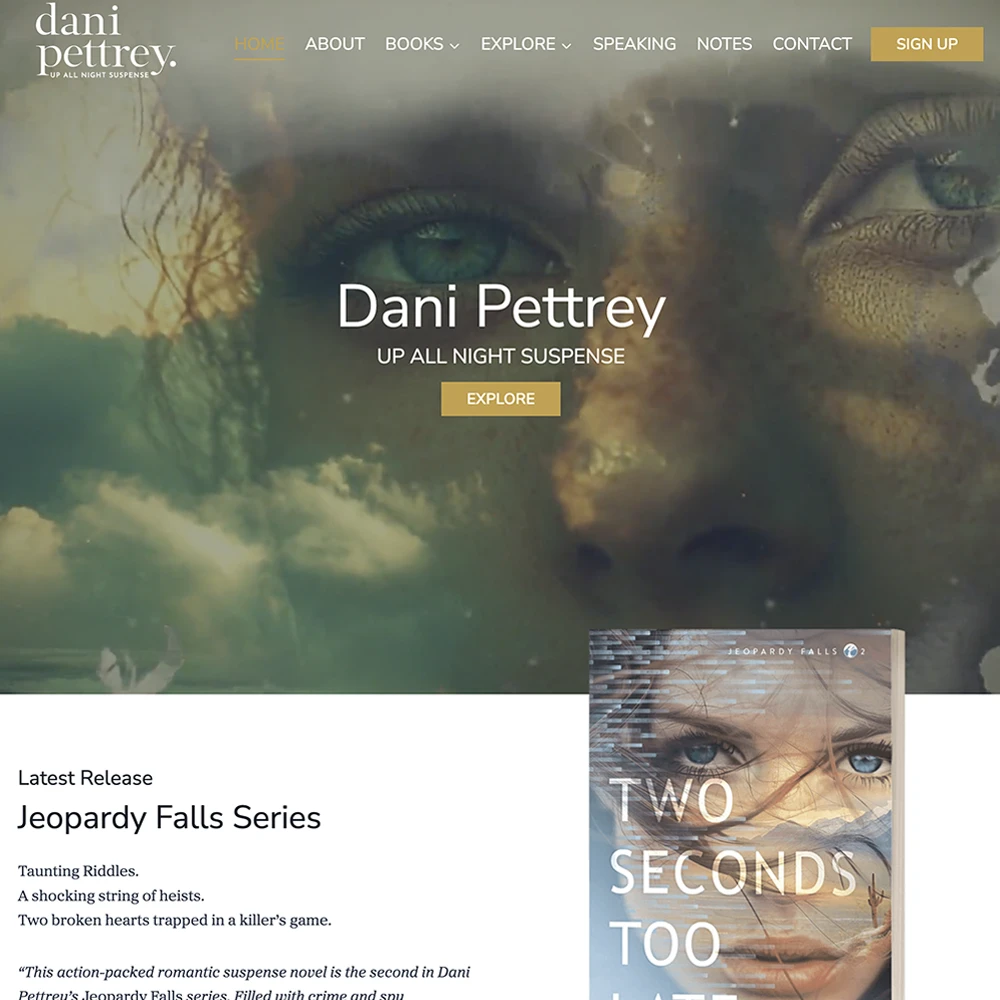
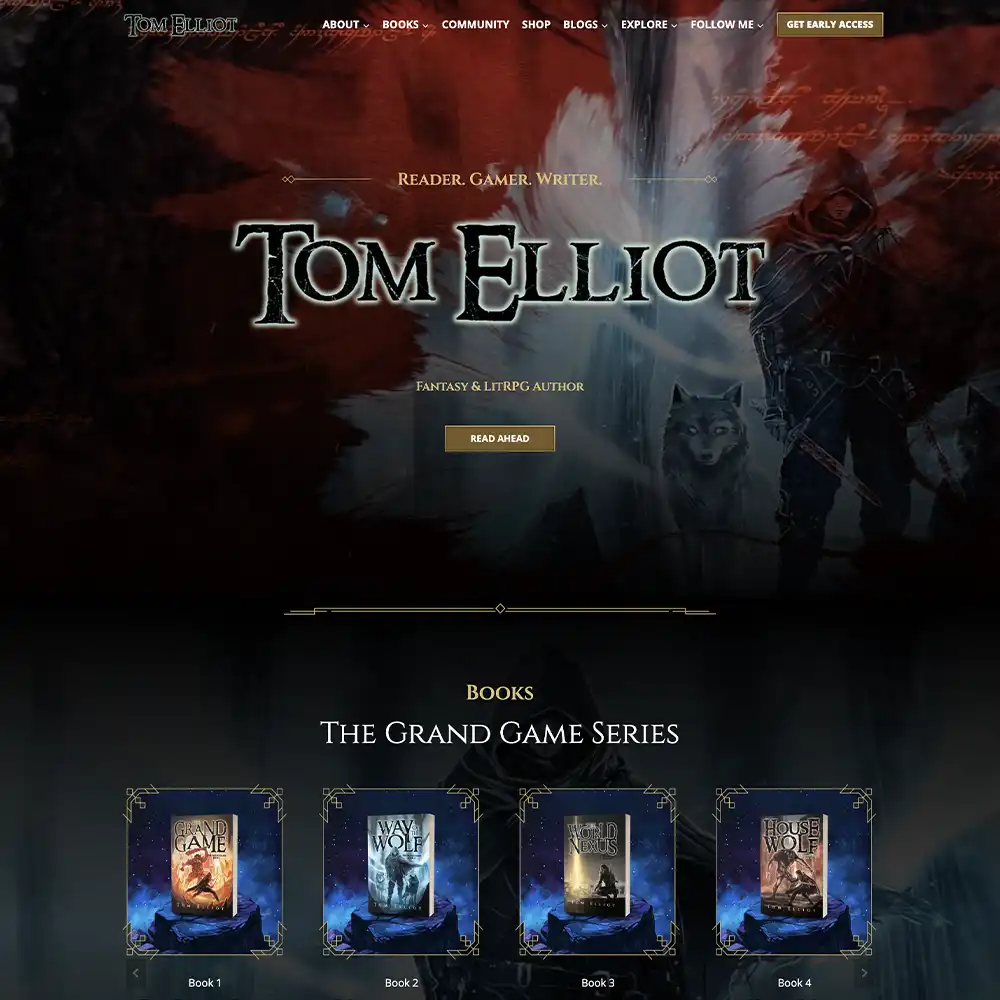
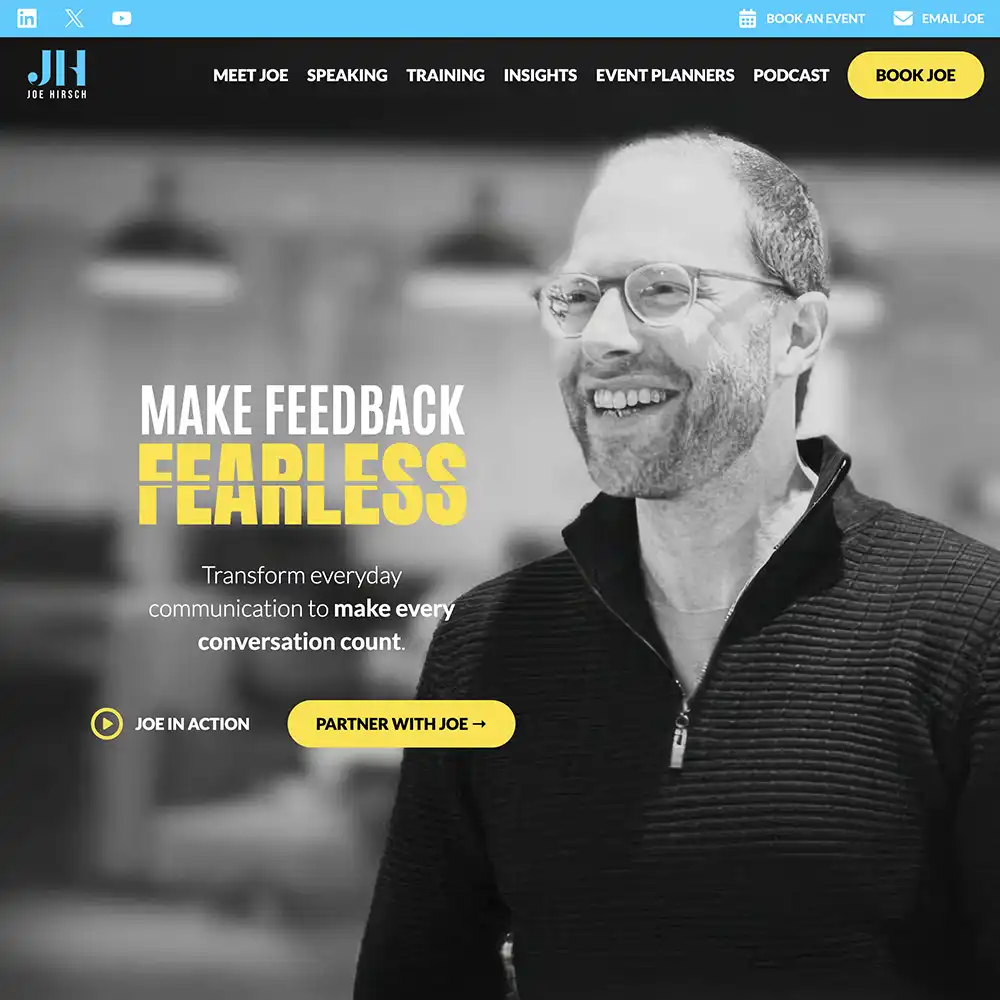
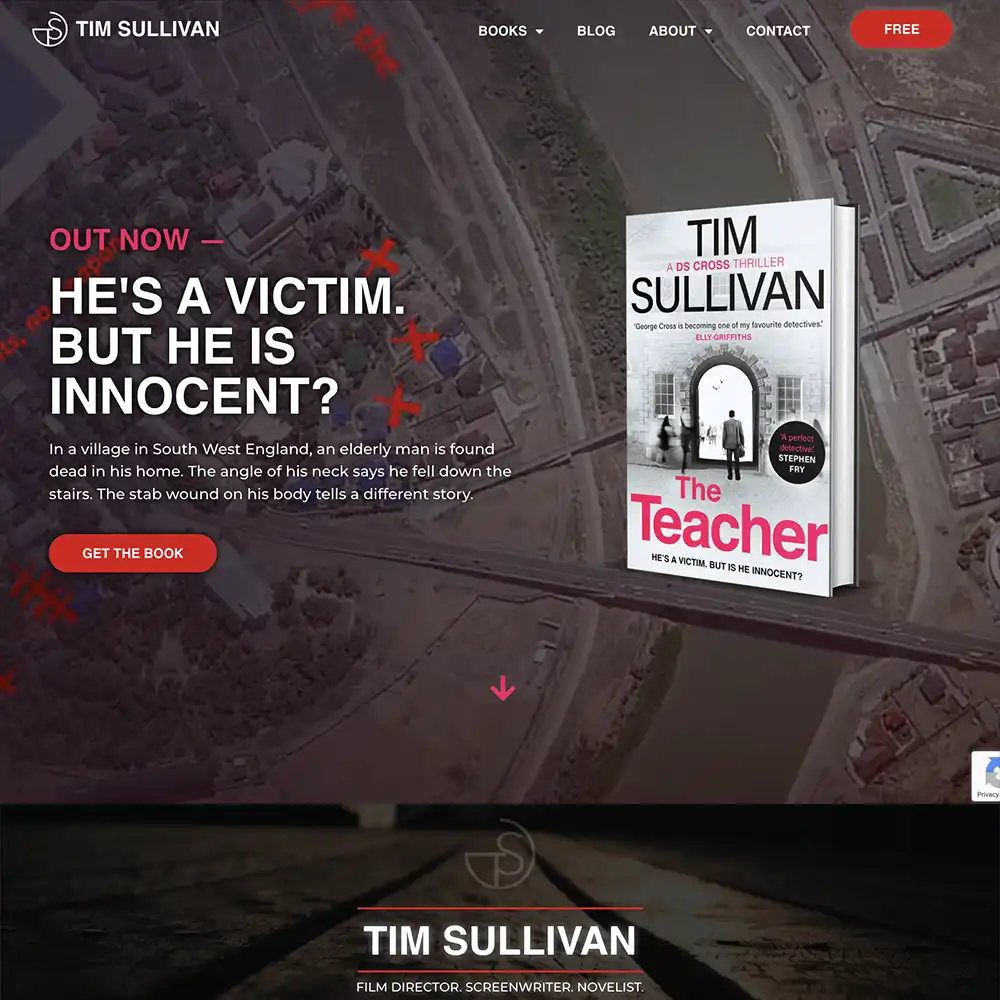

2. Decide what type of website you need
The type of author website you want will depend on the goals you have as an author. The more goals, the more pages.
There are 3 basic choices for your type of website:
- One-page website: A simple site where you can display all of your information on one page.
- Content-rich website: This is more complicated and will require you to add more content and pages to your site, allowing you maximum potential to promote your books and other works.
- E-commerce-focused website: If you want to have direct sales rather than use the likes of Amazon, or if you want to sell merch and other goodies, you can get a website with the functionality of a storefront. This can be another page on your site or even a separate domain that you can link to.
This guide should help clear up which one would be best suited to you:
One-Page Website | Content-Rich Website | E-Commerce-Focused Website |
|---|---|---|
| For debut authors, who just need a basic online presence. | For debut and experienced authors with some technical expertise or enough resources to hire a professional. | For established authors who are looking to control their sales. |
| This works for authors who don’t have the technical expertise, time, and resources for a bigger site. | This is best for authors who want to build or strengthen their online presence. | This is best for authors who have the budget and time to market directly to their large readerbase. |
3. Choose a platform to build your author website
If you’re looking to build the author website yourself, we suggest choosing between Squarespace, Wix, and WordPress.
Each platform has templates you can choose from, as well as the ability to build a website from scratch.
| Differences | Squarespace | Wix | WordPress |
|---|---|---|---|
| Pricing | Free 14-day trial and plans ranging from $16 to $99 per month. Hosting and plugins are included in paid plans. | It has a free plan, and if you want more features (and no ads), the price ranges from $17 to $159 per month. Hosting and plugins are included in paid plans. | It is free to use, but hosting and plugins must be paid for on your end. This gives you flexibility and control over your costs. |
| Accessability | Very user-friendly. | User-friendly, but has a lot of features for beginners to digest. | WordPress is not as user-friendly and requires technical know-how. |
| Functionality | Access to lots of templates. Drag-and-drop functionality. Limited creative freedom due to the grid format. Upgrading features and add-ons can be expensive. | Access to plenty of templates, drag-and-drop functionality, but upgrading can be expensive. | Access to tons of templates and plugins to enable creative freedom when creating a content-heavy author website. This makes for a steep learning curve for beginners. |
| Who is it best suited for? | Beginners. | Beginners and authors with a bit of expertise (although it isn’t needed). | More technically advanced authors. Also works for authors willing to learn or hire a professional to design their site. |
That’s just the tip of the iceberg. If you’re curious about author website costs, check out our comprehensive blog: How Much Does an Author Website Cost?
There’s been a rise in people sharing their dislike for WordPress, and we just wanted to address the situation directly:
Is WordPress good for authors?
Many have their opinions, but, yes, WordPress is a good option for authors. It’s SEO-friendly, has great community support, and is easy to maintain and make updates.
But it’s a steep learning curve due to the high amount of features available to you.
For a DIY route, WordPress will require a lot of time and effort to learn and maintain.
And since it’s an open-source platform, anyone can add plugins to be used by everyone, which can be a security risk if you’re not familiar with the techy side of things.
Top Tip #3: Make sure to vet the plugins you want to use before applying them.
For authors looking to hire a professional, WordPress and Webflow are great platforms. (We use Webflow for more complex projects, and WordPress for most everything else!)
One last thing! You can pick from 2 types of WordPress sites: wordpress.org (self-hosted), and wordpress.com (run directly and hosted by WordPress).
We recommend the .org version since wordpress.com has limited storage for the content on your website and requires you to have wordpress.com in your domain name (imagine janedoe.wordpress.com – no thanks). Not to mention the Google ads that will be found on your site.
4. Consider getting help from a professional
Before you decide to build your author website yourself, you have one last decision to make that may save you time and effort. To hire a professional or to DIY.
Here’s our take:
You’re an author, you should be writing books. Professional website designers should be building websites. Why bother with the hard, techy aspects when someone else can do it for you?
Especially when having a high-quality, results-driven author website is important to the longevity of your career.
Building a low-budget (or free) author website may come off as amateurish. If you’ve spent very little money, time, and effort on it, it’ll look exactly like that’s what you did.
It’ll give the wrong impression to the reader: Poor quality website = Poor quality books.
Your author website deserves as much care as the rest of your marketing. We’ve seen the benefits of author websites ourselves; we build them all the time.
And why not get an author website design that:
- Has the functions and features you need.
- Loads quickly and is user-friendly on all devices, including mobile.
- It is custom-built and original, allowing you to stand out.
- Suits your brand and books to a T, and captures your audience’s attention.
- Doesn’t hide costs and shows you exactly what you’ll get at every step.
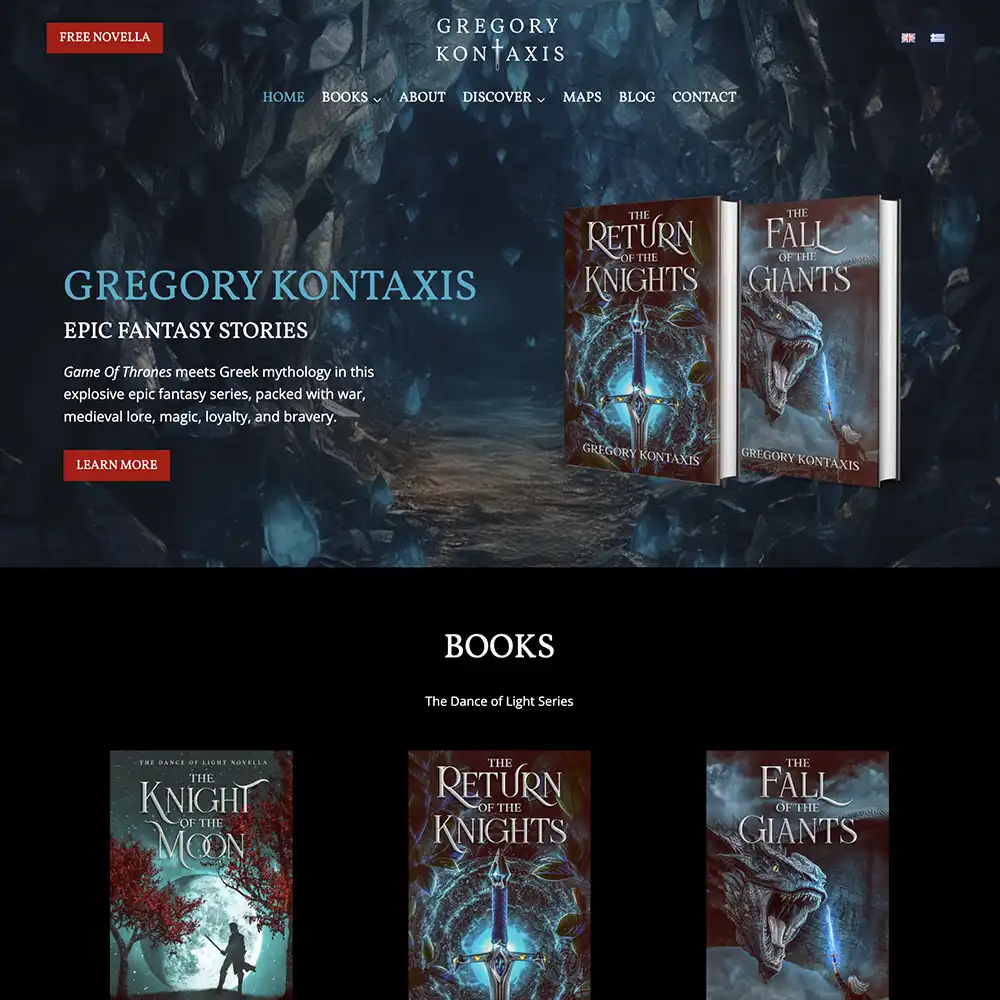
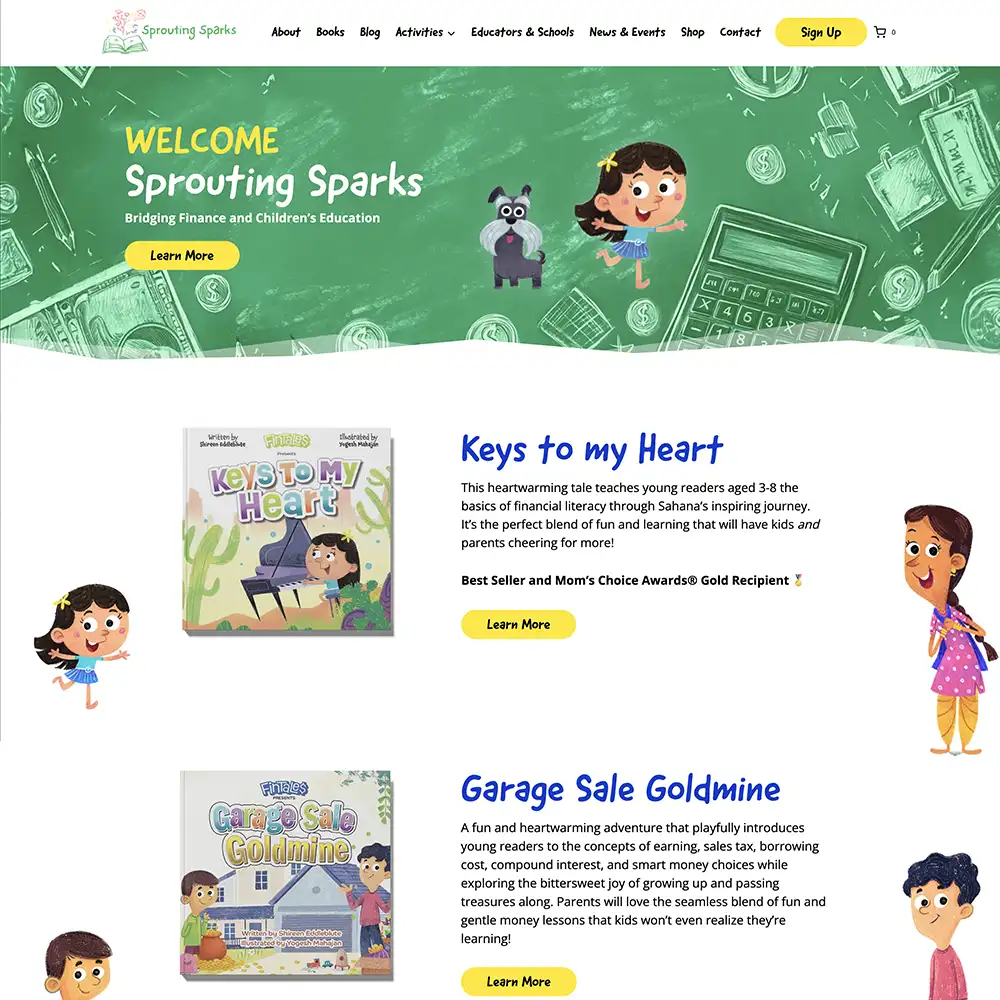
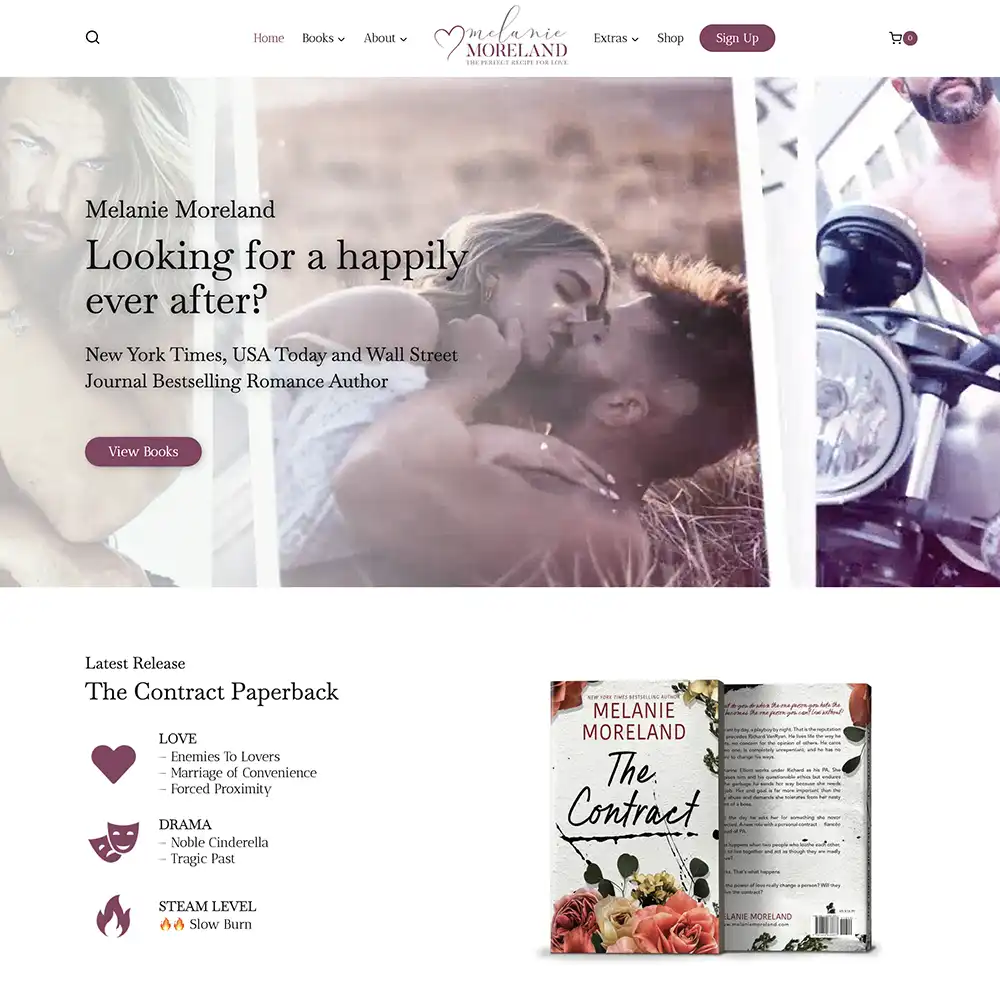
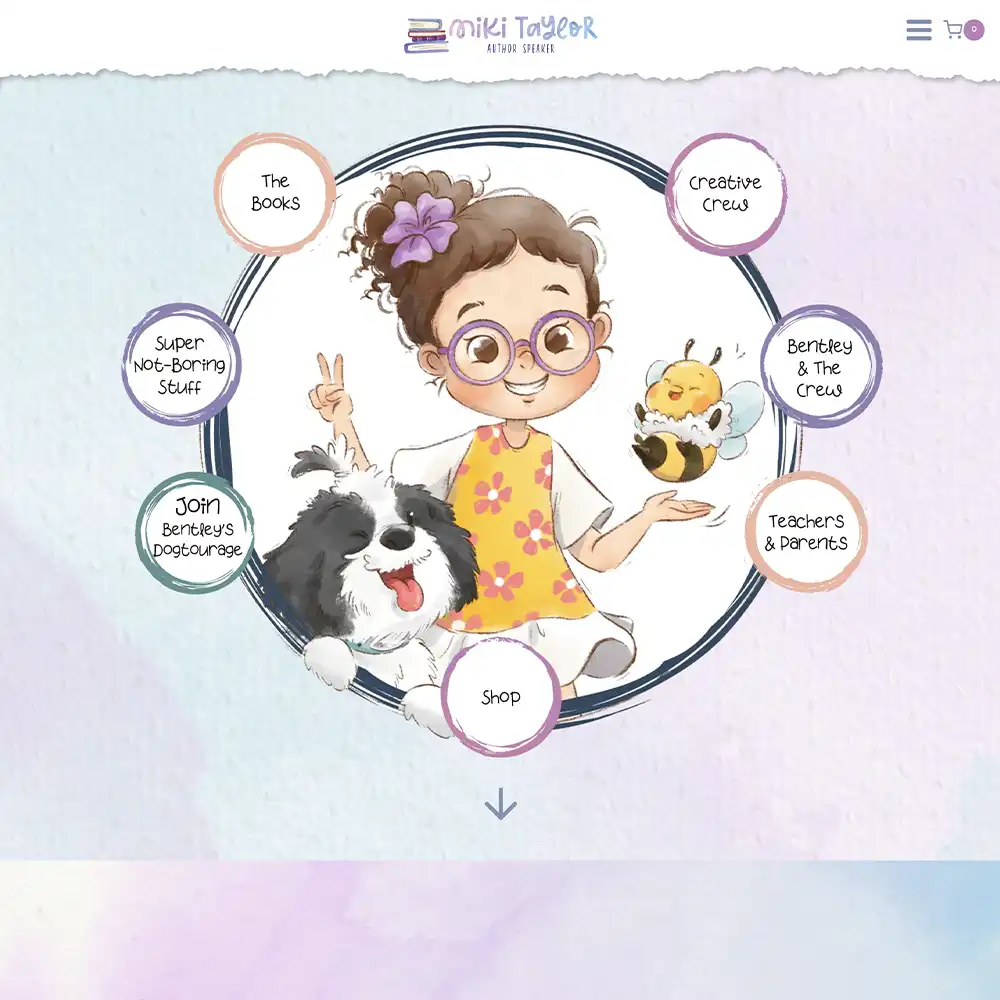
We do everything on this list and more. No pressure, but if you want to see what websites should look like for Fantasy, Sci-Fi, Children’s, Romance, Non-Fiction, check out our portfolio right here: Author Websites We’ve Built. It’s pure quality and epicness.
How to Design an Author Website? (Expert’s Perspective)
If you’ve checked out our portfolio above, you know our advice on author websites is solid. From our experience, these are the steps you need to take to design a professional author website:
- Highlight your books, brand, and genre
- Design it for your audience
- Optimize your author website
- Make it easy to navigate
- Update it frequently
1. Highlight your books, brand, and genre
You may be scratching your head and wondering how the actual design should look. This is 50% actual design knowledge, and 50% your books, brand, and genre.
Picking a theme or template can be tricky when you don’t know what atmosphere you want to create and the goals you want to achieve. Looking at your brand is important at this stage.
As soon as a reader lands on your website, the atmosphere (and therefore your brand) should hit them immediately. They should understand the kind of author you are.
For example, a fantasy website should ooze imagination and wonder through whimsical copy and designs. A business author website, on the other hand, will have a design centered around factual information to convey understanding and authority on a topic.
Your brand and atmosphere should be unmistakable. As seen with theseasonsofdarkness.com, a Science-fantasy author website with grit:

And compare that to this speaker author website, drmarcmilstein.com, that’s all authority and loaded with educational content:

To create a website with the right brand and atmosphere, you need the following:
- Your audience demographics,
- Notes about your genre and tropes,
- Research on comparable authors and books, and
- Your goals as an author.
You won’t be able to create an effective website without the knowledge behind these. Because no matter how aesthetically pleasing you can make your site, if it doesn’t target your ideal readers, your author website is useless.
The list above should help you decide on:
- How to use the layout to guide the reader’s attention to your goals, for example, your debut book, your newsletter, your business’s services, your speaker events, your shop, etc.
- The color palette and font of your site (hint: it should match your overall brand or your most popular series).
- The design elements and imagery (hint: use elements from your book cover or imagery related to your brand).
Once you have all the necessary details above laid out, you can consider what template to use.
We design author websites, and we created this simple author website template that any fiction author can use (and if you want more templates, check out Easy To Use Author Website Templates (With 15 Examples):

Every page should have the desired tone you’re going for, so that the right reader is enticed to stay and discover more.
Make sure you provide them with quality content so that it increases the time they spend on your website and learn more about your work.
The longer they’re on your site, the more likely they are to remember you and possibly check out your books.
2. Design it for your audience
Above all, your author website needs to be user-friendly. You could use the most beautiful designs, but if readers find it difficult to read and navigate, you’ll have a high bounce rate.
These are our suggestions for designing your author website:
- Have a clean design: Comprehensive information and pretty graphics can liven up your author website, but overdoing it will make it look like a 2nd grader’s project. Use white space to make the fancy elements stand out more.
- Make your website responsive: This means your author website will adapt to the device the reader is on, ensuring easy navigation. Mobile devices are the most popular to search on, so ensure your website shrinks down appropriately to mobile and tablet sizes.
- Use plugins and widgets: Get plugins that enhance your site (for example, adding blog thumbnails at the bottom of posts, gallery sliders, malware scanner, etc.) and widgets that add a professional touch (for example, social media icons, blog archives, calendars for events, etc.)
- Include audience-gripping copy: From headings to blurbs, every page should have copy that shows readers your personality and writing style.
- Include retailer links: Add all the links to the retailers that house your book on your Book pages to make it easy for readers to buy your book.
All of these components are prevalent and well-used in melaniemoreland.com, a website we built to capture the hearts of romance readers:

3. Optimize your author website
It’s time to take your author website to the next level. Here are the basic ways to optimize your website:
Technical SEO (Search Engine Optimization)
SEO sounds like a fancy term, but it’s quite simple. SEO is about improving the quality of your website and optimizing it to show up in search results.
This is why your domain name needs to be searchable, so that readers can find you easily. The same applies to all the pages on your author website.
For example, your book pages need to be aptly named with the title of your book, so when readers search for it, it’ll come up in Google. The same will go for other pages like service pages, events, etc.
You’ll also need to submit your author website to search engines like Google for it to be indexed. Which means that it’ll be stored and analyzed accurately, to help with your ranking on Google.
Top Tip #4: Update your author website frequently to avoid having broken links, which will lower your search rankings. (Broken links are links on a site that go to an error page. These can be internal or external links.)
Blog SEO
Besides using SEO to rank on Google, you’re also using it to cater to readers.
Just as you would name your book pages, you’d name your blogs and any other pages with your readers in mind.
For example, you’d target keywords related to your work that get tons of search volume to gain exposure. Just like how it’s done on this site we built for Tom Elliot, tomlitrpg.com, where he’s constantly updating his audience about his journey with his books:

Top Tip #5: This will require your creativity! SEO (and because of the rise of AI, GEO – Generative engine optimization) is only backed up by high-quality content. Deliver content readers want and need.
To practice good SEO, we’d also recommend breaking up long texts on your website with spacing and imagery for ease of reading.
Top Tip #6: Use well-placed headings and subheadings to provide a good reader journey as well as to target keywords.
Page Speed
This is 3rd on our list for optimization, but it’s one of the main reasons for an author website having a high bounce rate.
If a reader clicks onto your website and sits there waiting for their screen to load for more than 5 seconds, they’ll likely leave.
That’s the last thing you want!
How do you avoid slow page loading on your author website? Follow these steps:
- Declutter the design: A cluttered page will always take forever to load. Keep the design clean and remove any large elements.
- Image optimization: Make sure the size of the images on your website is small, ideally 200KB or less. Anything too big and it’ll cause the whole page to slow down.
- Website data: Minify the scripts and CSS stylesheets on your pages by removing unnecessary source code.
- Browser cache: Clear your website’s cache to improve performance.
Call-to-actions (CTAs)
Once readers are on your website, you need to shepherd them to the right places. Don’t waste the engagement by not capitalizing on it.
The CTAs you use need to center around your goal as well as what drives the readers. Therefore, your CTAs should target different readers in your target audience.
For example, readers who may know about you may only need to be shown a CTA to check out your book: “Wheel of Time meets Game of Thrones in this epic tale – Order Now!”
While readers new to your world would probably like to see reviews or more about your main characters to learn more: “Meet the cast of characters from my epic world of dragons, dynasties, and death!”
Another way to use CTAs is on your sign-up page for your newsletter. This is what we call a reader magnet, also known as a lead magnet in the rest of the marketing world.
Just like a magnet, you’re attracting readers on the fence to join your world in some way by giving them something in exchange for their email address.
For example, kcalebooks.com has a great sign-up page (also made by yours truly):

A newsletter may seem like a lot of work, and that’s because it is. But email marketing is one of the most effective and controllable forms of marketing tools you can have as an author.
This is an audience you’re warming up and engaging consistently with. They’ll turn from intrigued readers into fans.
4. Make it easy to navigate
If you decide to have a content-rich author website, navigation becomes trickier. To simplify it, these are the main pages we suggest:
- Home page: A sleek intro showcasing your main CTA and atmosphere, followed by sneak peeks of the sections on your author website to entice readers to explore.
- Blog page: Houses all of your high-quality blogs where you share writing updates, your opinions, reviews, announcements, etc.
- Book pages: This can start out on one page with a layout of your entire catalogue, which leads into separate pages with each book showing the book cover, blurb, and retailer links.
- Contact page: Give readers a simple form to type their messages to you, or for professionals to get in contact with you. This page can be used by speakers and business owners to generate leads.
- About page: Include a page for your author bio because readers love to connect with the person who writes the books. It’s human nature to want to know more!
- Sign-up page: This is where you’d put your reader magnet to capture readers’ emails.
- Personal pages: These are not a must, but a nice-to-have! Additional pages will help make your author website stand out. You can add a resources page for articles and videos, an extras page for glossaries, character descriptions, activities, podcasts, etc.
Remember to test each link on your site to ensure it navigates to the right pages!
If you want to know how each of these pages should look, check out our blog: When Should I Make an Author Website (and Why It Matters)
Top Tip #7: Your menu atop each page needs to be easy to understand and display the page names clearly, on all devices. You can opt for a hamburger menu on mobile that slides out when pressed to keep the design concise.
5. Update it frequently
Once it’s built, it can’t be left aside and expected to do its work. Your author website is like a plant; it needs consistent care to live and grow.
You need to constantly check:
- For broken links
- Outdated information
- That all your forms work
- Security
- The user experience
- Software updates
- Data backups
But it’s just as important to update your author website with announcements, new books, interviews, events, blogs, etc.
Nothing looks more unprofessional than an announcement on your website for a new release slated for July 2024 still being up in 2025. It looks like you’ve probably stopped being an author and left the world of publishing entirely.
If you want a website that works, you need to manage it frequently.
Are You Ready To Build Your Website?
While we’re sure we provided a great deal of information on how to design an author website, we’re certain it’s not the same thing as basically building it for you.
No guide can do that.
But we can. That’s right, we can just build it for you.
If you’ve made it all the way here, we know you’re serious about your career. And that’s the foundation of an author who can sell books. So let us help you.
Inquire here, and let’s start chatting about how we can help you build and improve your online presence..